---
title: Export a CSV report
description: CSV reports export your data for a chosen date range, ready for detailed analysis in your own tools. Go to the Reporting > CSV Reports page.
image: https://support.sitehive.com/hs-fs/hubfs/Knowledge%20Base%20Import/homepageimages/enviro-setup.jpg?width=1200&name=enviro-setup.jpg
---
[Skip to content](https://support.sitehive.com/en-au/export-a-csv-report#main-content)
[](https://support.sitehive.com/?hsLang=en-au)
Open main navigation
Close main navigation
- [Contact us](https://support.sitehive.com/en-au/contact-us)
[Contact us](https://support.sitehive.com/en-au/contact-us?hsLang=en-au)
How can we help?
- There are no suggestions because the search field is empty.
1. [SiteHive Support](https://support.sitehive.com/en-au?hsLang=en-au)
2. [SiteHive Enviro: dashboard, reports & analysis](https://support.sitehive.com/en-au/sitehive-enviro-dashboard-reports-analysis?hsLang=en-au)
# Export a CSV report
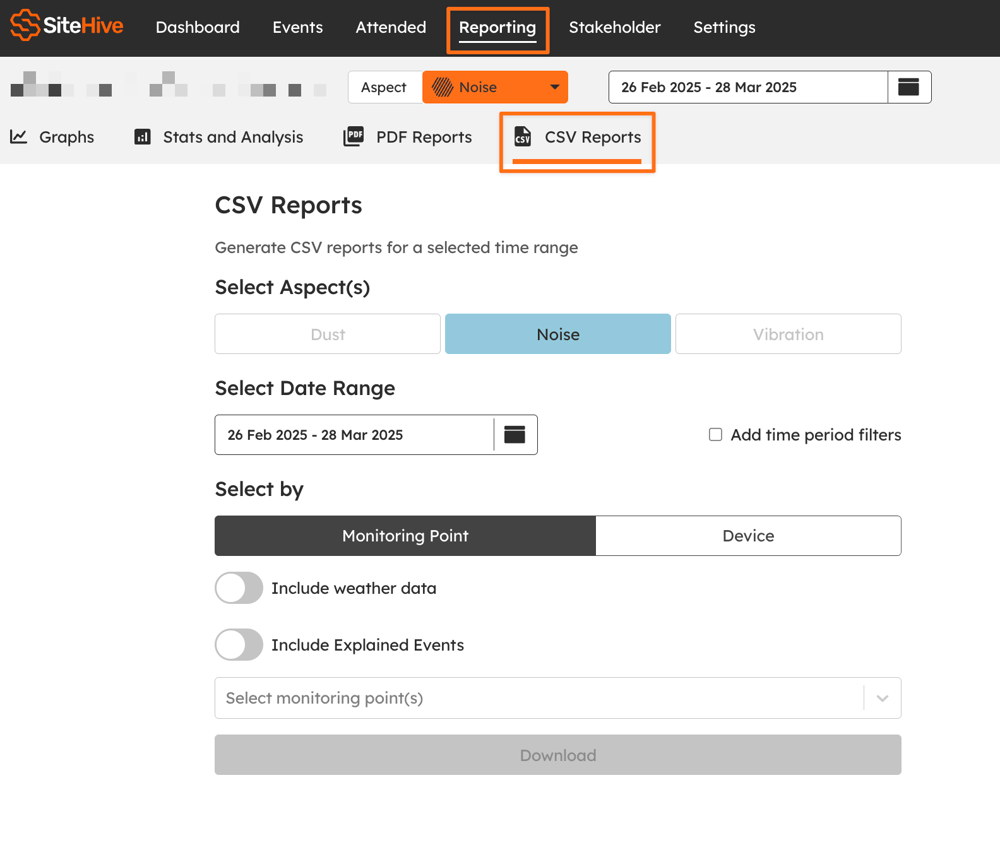
CSV reports export your data for a chosen date range, ready for detailed analysis in your own tools. Go to the **Reporting \> CSV Reports** page.
> ℹ️ CSV Reports export event data. For summary statistics and data tables, see [Stats and analysis](https://support.sitehive.com/en-au/stats-and-analysis?hsLang=en-au).
---
### Select the data to export
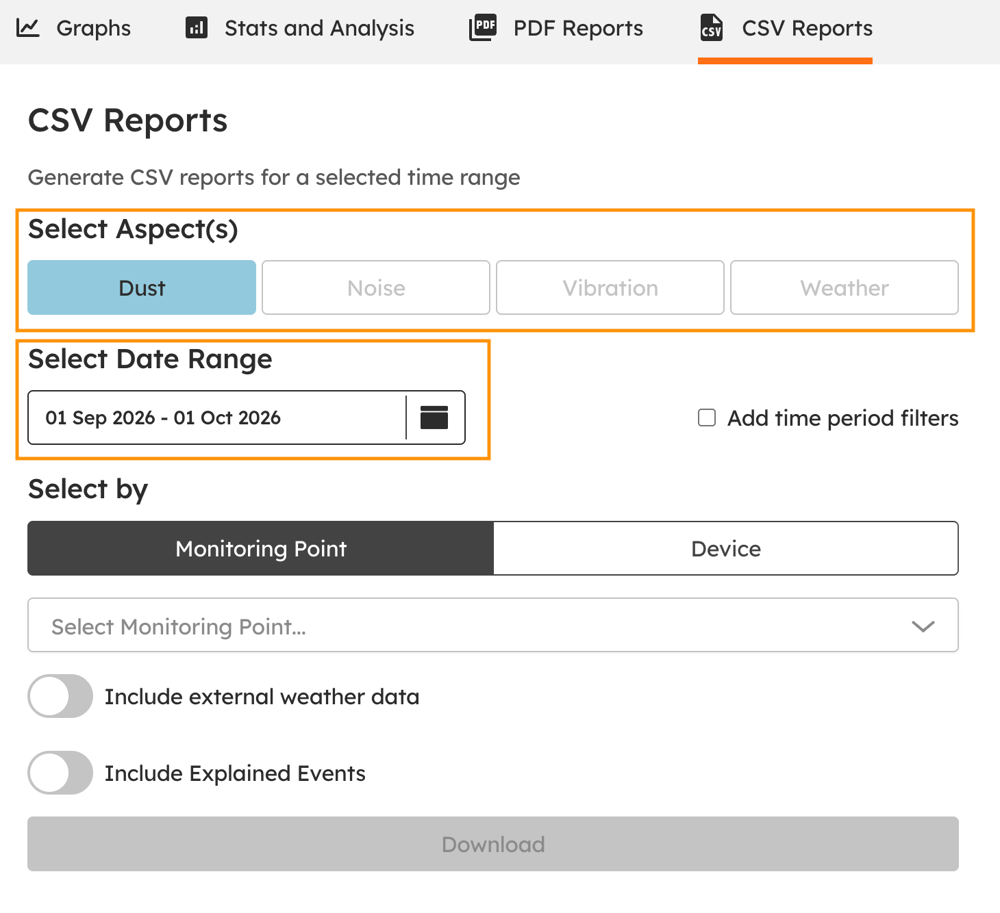
- Choose the aspect or aspects to include: **Noise**, **Dust**, **Vibration** or **Weather**
- Select the **date range** for your report.
---
### Choose how to filter the data
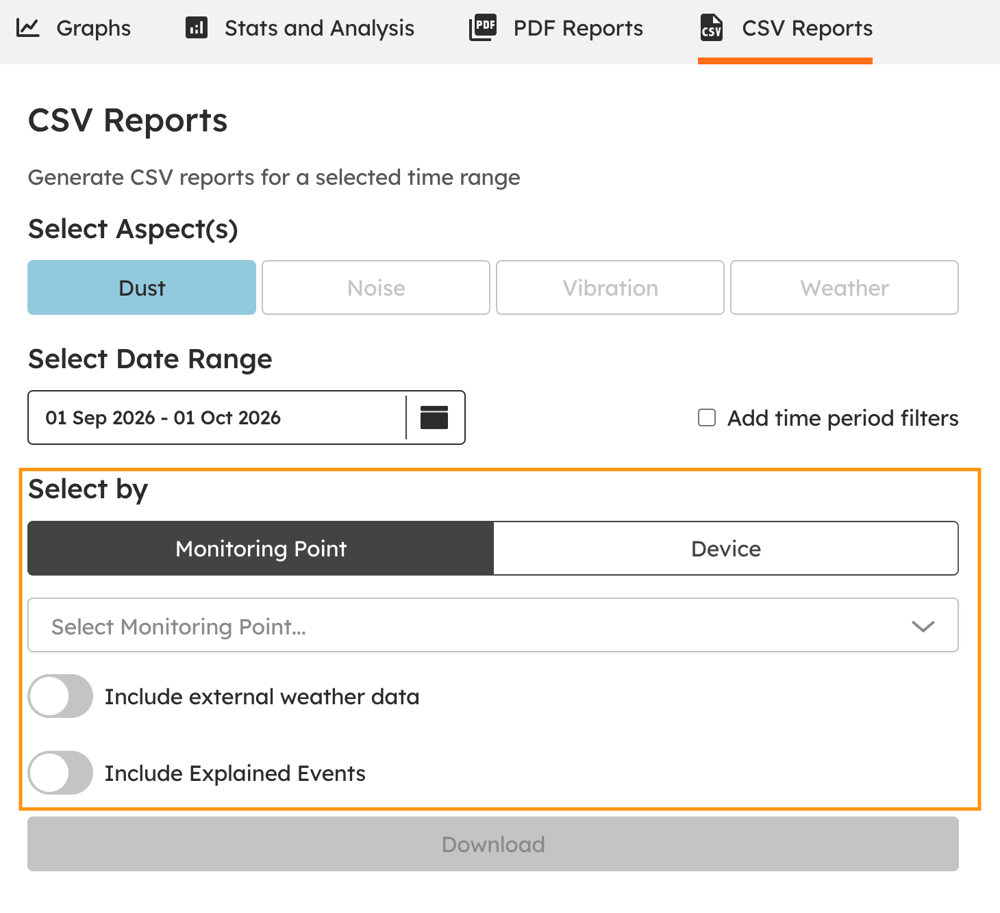
- **Select by Monitoring Point** and pick the Monitoring Point or Points to export, or **select by Device** and pick the device or devices.
- Turn on **Include weather data** and choose your data source (OpenWeather, the Bureau of Meteorology, or your own weather station) to add rainfall, wind, temperature, humidity and dew point.
- On **SiteHive Enviro Pro**, turn on **Include Explained Events** to include events with their explanations (see [Events: investigate an exceedance](https://support.sitehive.com/en-au/events-investigate-an-exceedance?hsLang=en-au)).
---
### Download the report
Click **Download** to generate and download your CSV file or files.
---
### What's next
[Graph your data](https://support.sitehive.com/en-au/graph-your-data?hsLang=en-au) (explore and investigate on screen)
[Stats and analysis](https://support.sitehive.com/en-au/stats-and-analysis?hsLang=en-au) (high-level stats and daily averages)
[Create a PDF report](https://support.sitehive.com/en-au/create-a-pdf-report?hsLang=en-au) (a comprehensive site report)
[](https://sitehive.com/)
[www.sitehive.com](https://www.sitehive.com)
[mailto:support@sitehive.co](mailto:support@sitehive.co)
Copyright © 2026, SiteHive