---
title: Share a stakeholder view
description: The Stakeholder View is all about transparency. It provides stakeholders with a simple, high-level overview of your site's environmental activity, without…
image: https://support.sitehive.com/hs-fs/hubfs/Knowledge%20Base%20Import/homepageimages/enviro-setup.jpg?width=1200&name=enviro-setup.jpg
---
[Skip to content](https://support.sitehive.com/en-au/share-a-stakeholder-view#main-content)
[](https://support.sitehive.com/?hsLang=en-au)
Open main navigation
Close main navigation
- [Contact us](https://support.sitehive.com/en-au/contact-us)
[Contact us](https://support.sitehive.com/en-au/contact-us?hsLang=en-au)
How can we help?
- There are no suggestions because the search field is empty.
1. [SiteHive Support](https://support.sitehive.com/en-au?hsLang=en-au)
2. [SiteHive Enviro Pro: advanced features](https://support.sitehive.com/en-au/sitehive-enviro-pro-advanced-features?hsLang=en-au)
# Share a stakeholder view
The Stakeholder View is all about transparency. It provides stakeholders with a simple, high-level overview of your site's environmental activity, without requiring them to access the full SiteHive software.
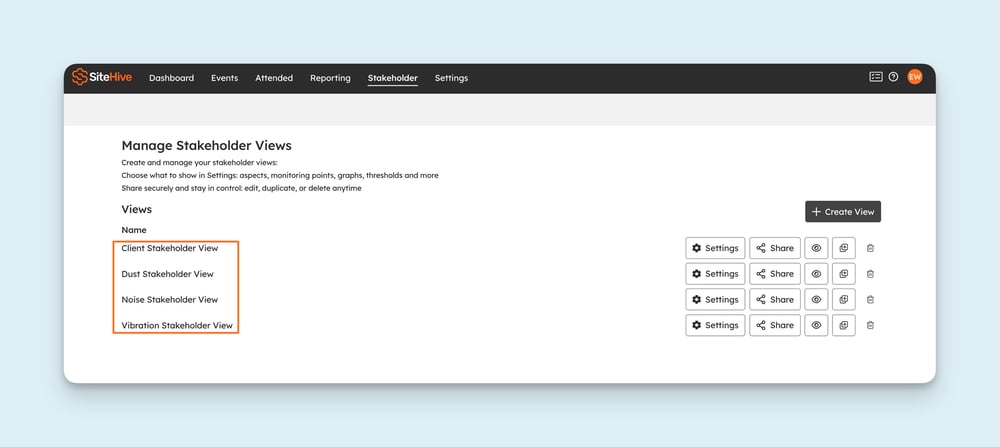
You can **create and manage multiple Stakeholder Views**. This gives you greater flexibility to tailor what different audiences see, and stay in full control.
---
### Set up a Stakeholder View
Select **+ Create View** to prepare a new Stakeholder view.
This brings up the **Settings tab**, where you can configure the view so you're in control of what's shared:
- Create a **view name** for internal reference.
- Select which **aspects** (Noise, Dust, Vibration) and **Monitoring Points** to display.
- **Data delay:** show data in real time, or with a 1-day delay (useful if you want to review and explain [events](https://support.sitehive.com/en-au/events-investigate-an-exceedance?hsLang=en-au) before stakeholders see them).
- Choose whether to include [**stats and analysis cards**](https://support.sitehive.com/en-au/stats-and-analysis?hsLang=en-au).
- Add **telemetry graphs**, with options to display thresholds and site hours.
- Pick between **linear or log scale**.
- Decide which **parameters** to show and set your preferred **interval periods**.
 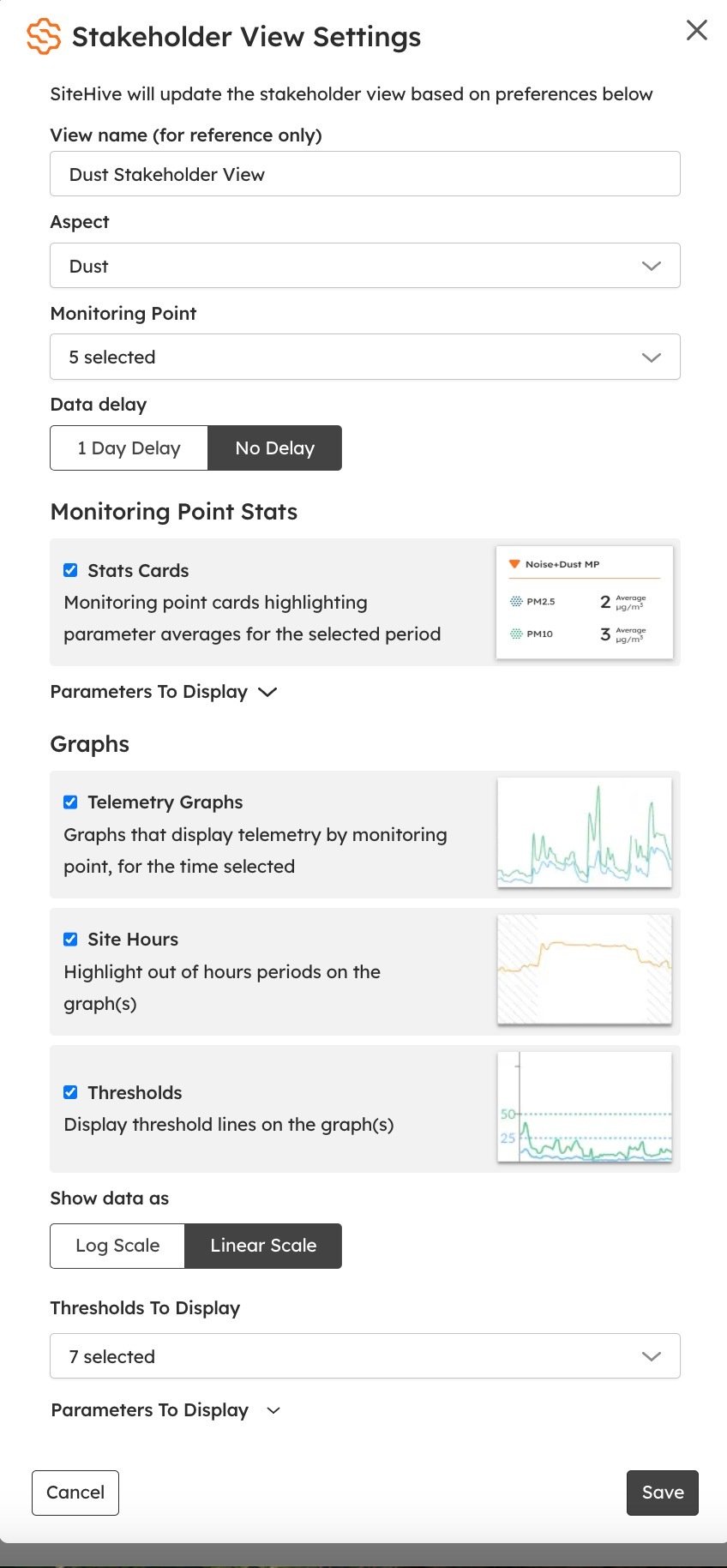
This flexibility makes it easy to share the right level of information: clear, transparent, and tailored for your audience.
---
### Vessel tracker settings
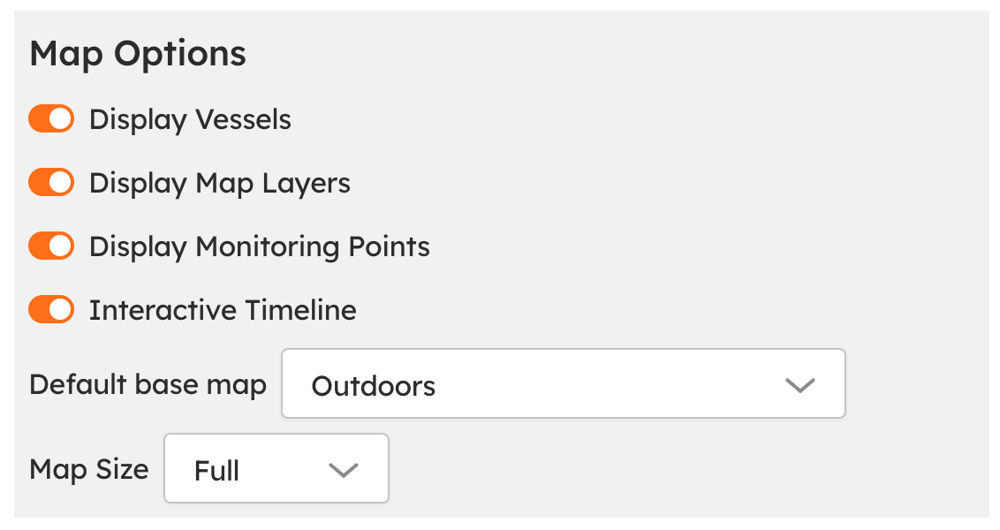
If you are using the Vessel Tracker for ports, you can customise what information is visible to stakeholders via **Settings \> Map Options**.
From this section, you can configure which vessel data and map elements are displayed in the Stakeholder View. Any changes made in **Map Options** automatically apply to the Stakeholder View.
---
### How to share the Stakeholder View
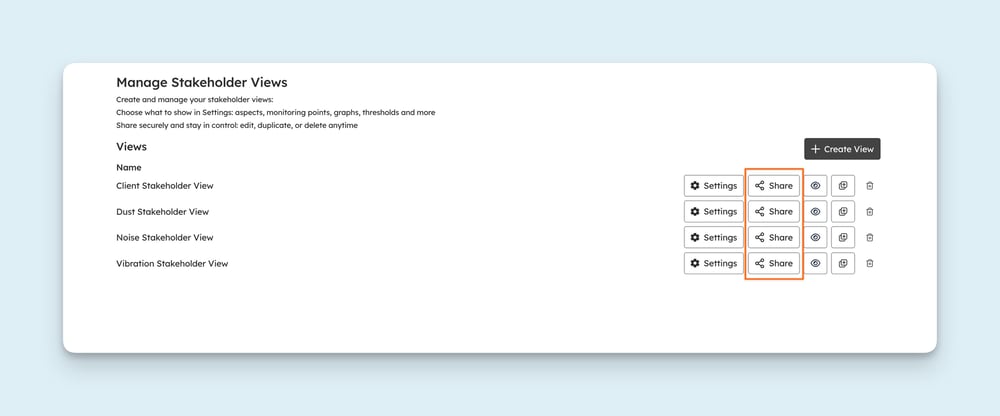
To share the Stakeholder View, press the **Share** button next to the view you want to share. This brings up a modal with a link that can be copied and shared. Anyone with the link can view the Stakeholder View, no login required.
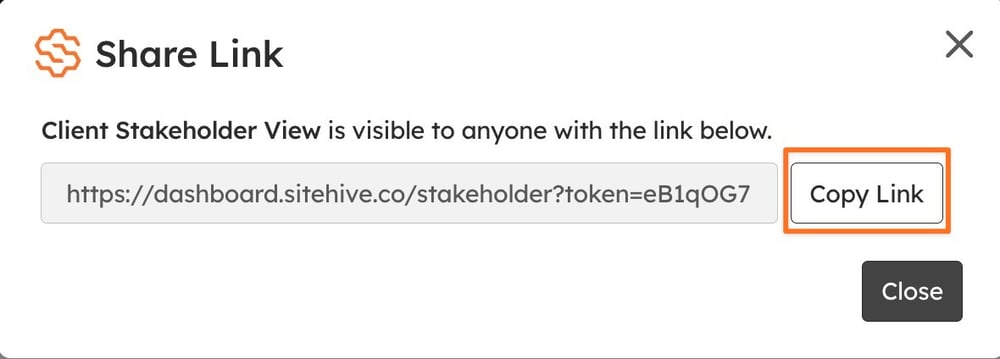
> ℹ️ **Links never expire:** newly generated links are permanent, and any changes you make to the view settings automatically apply to all existing links, so anyone with a link always sees the latest version.
---
### Preview, edit, duplicate, or delete views at any time
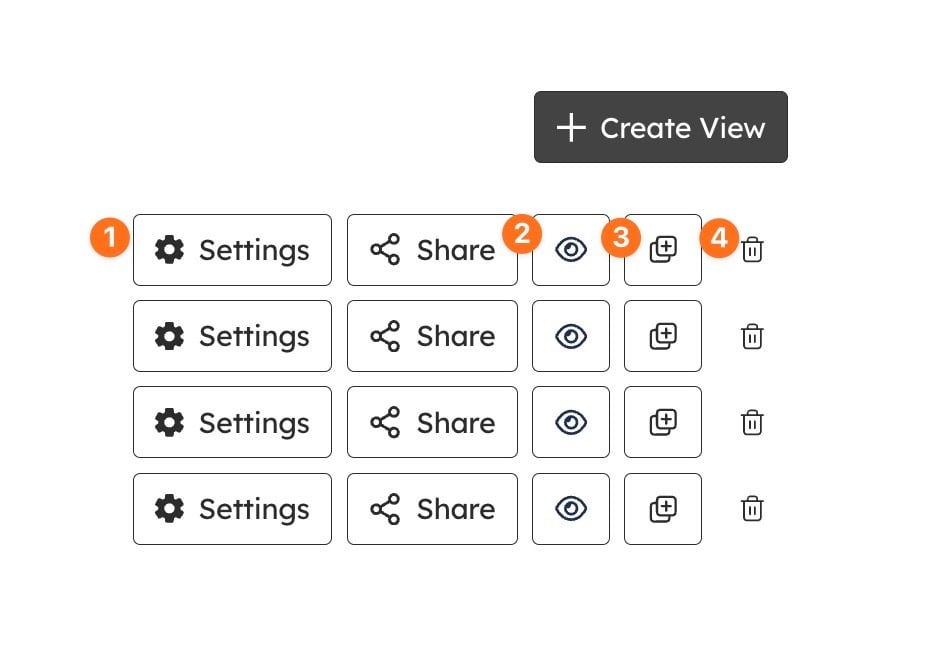
1. Quickly update existing views (**settings**)
2. **Preview** the stakeholder view you have created
3. **Duplicate** your stakeholder view to reuse it
4. Or **delete** outdated ones
You're always in control, with flexibility to adjust as things change.
---
### What’s next
[Stats and analysis](https://support.sitehive.com/en-au/stats-and-analysis?hsLang=en-au) (what the stats and analysis cards show)
[Create a PDF report](https://support.sitehive.com/en-au/create-a-pdf-report?hsLang=en-au) (scheduled reports for stakeholders who prefer documents)
[What is included in SiteHive Enviro Pro](https://support.sitehive.com/en-au/what-is-included-in-sitehive-enviro-pro?hsLang=en-au) (Stakeholder Views is part of SiteHive Enviro Pro)
[](https://sitehive.com/)
[www.sitehive.com](https://www.sitehive.com)
[mailto:support@sitehive.co](mailto:support@sitehive.co)
Copyright © 2026, SiteHive