
This page gets you started with SiteHive Enviro Software: sign in, set up your first device, create alerts, explore the Dashboard and Reporting, and invite your team.
SiteHive Enviro makes it easy to see and manage what's happening across your site in real time, from wherever you are.
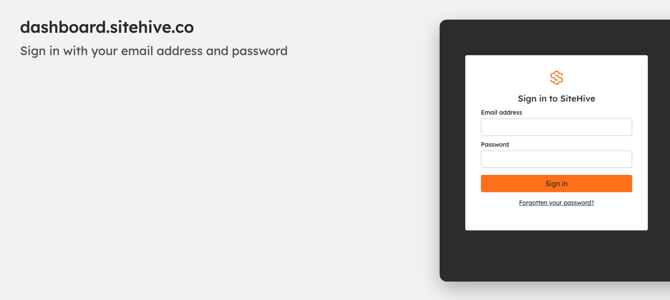
Sign in to SiteHive Enviro
SiteHive Enviro runs in your web browser, on a computer, tablet or phone, so there is nothing to install.
-
Go to dashboard.sitehive.co.
-
Enter your Email address and Password.
-
Click Sign in. Your site opens on the Dashboard.
First time? You join a site from an invite email. Click the link in the email, enter your First name, Last name and a Password, then click Sign up. Your password needs at least 12 characters, with upper and lower case letters and numbers. You go straight to your site, and from then on you sign in at dashboard.sitehive.co.
Invite link not working? If the page says the link is invalid or has expired, ask the person who invited you to send a new one.
Forgotten your password? Click Forgotten your password? under the Sign in button, enter your email address and click Send reset link. The email that arrives has a link to choose a new password.
Still can't get in? Contact us and we will sort it out.
Dashboard
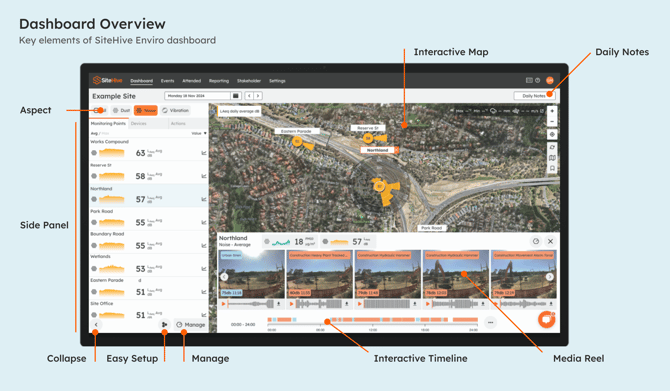
The Dashboard presents all the information you need for the daily monitoring of your site. For a complete overview of Dashboard features, explore the Dashboard overview.
-
Easily explore today's data, and previous dates
-
Site map with live data on the map
-
Graphs and data
-
Media timeline & timeline filtering
Reporting
The Reporting page lets you investigate and report on data from your site. For a complete overview, visit Reporting overview.
New to SiteHive Enviro Software?
Get familiar with key features by completing these five quick steps:
-
Set up a device: Have a new device on-site? Add it to SiteHive Enviro Software using Easy Setup, then manage all your devices and Monitoring Points from the Dashboard.
-
Create notifications: Need alerts? Create a Rule and configure email or SMS notifications in Settings > Rules & Notifications.
-
Explore and report: View daily data on the Dashboard. For long-term trends, use the Reporting page to analyse graphs and stats, and generate PDF reports.
-
Invite a user: Need to give team members access? Invite them as a new User on the Settings > Users page.
-
Access via a mobile device: Want SiteHive Enviro anywhere, anytime? Install the web app on your phone: it takes less than a minute to do.